The average cleaning company
loses $84,000/year in leads that fall through the cracks.
That's not a sales-team problem. It's a missing operating system. Here's what changes when "No Leads Left Behind" replaces the chaos.
Spreadsheets, sticky notes, and hope.
Leads come in. Reps mean well. Things fall through.
- 📋Leads scattered across email, voicemail, Facebook DMs, and a Google Sheet from 2022
- 🤷No one knows which leads are hot, warm, or already dead
- 📞Reps follow up "when they remember" — and forget more than they remember
- 💸Proposals sent into a black hole. No follow-up sequence. No reply tracking
- 😶Closed-lost deals are lost forever — no win-back, no second chance
- 🔁Same prospect gets emailed by 3 different reps — looks unprofessional
- 📉Owner has zero visibility: "How many proposals are out right now?" → silence
- 🚪When a rep quits, the pipeline walks out the door with them
- ⏰Renewals get forgotten. Clients churn quietly. Found out 60 days too late
- 🧾QuickBooks and the CRM never talk. Lifetime value is a guess
- ⭐Reviews are inconsistent. Bad ones go unanswered for weeks
- 🎯"Marketing" = whatever rep felt like sending that week
Every lead tracked. Every touch automated. Zero leakage.
A real operating system — not another tool.
- 📥Every lead — web, phone, walk-in, referral — lands in one CRM, auto-tagged and auto-assigned
- 🔥Every contact has a 1–10 lead score and lives on a Smart List the rep checks daily
- 🤖Follow-up sequences fire automatically — Email + SMS — and exit the moment someone replies
- 📄Every proposal triggers a 5-touch follow-up campaign. Close rate jumps from ~15% to 32%
- ♻️Closed-lost deals enter a 60-day Win-Back sequence. ~12% come back to life
- 🛡️Stop tags + DoNotContact suppress automatically — never double-touched, never burned
- 📊Owner opens one dashboard: pipeline, weighted forecast, stale deals, hot list — refreshed live
- 🔒When a rep leaves, every contact, note, deal, and conversation stays in the CRM forever
- 🔄Renewal Agent flags every contract 60 days out — Sales + Ops notified automatically
- 💰QuickBooks + Sage sync into GHL — lifetime value, churn risk, and upsell triggers in real time
- 🌟Reviews Agent auto-replies to every Google review and escalates anything < 4 stars
- 🎯7 multi-channel campaigns running 24/7 — every lead in the right sequence at the right time
When every lead gets tracked, scored, and sequenced — your existing pipeline doubles in value without spending a dollar more on marketing.
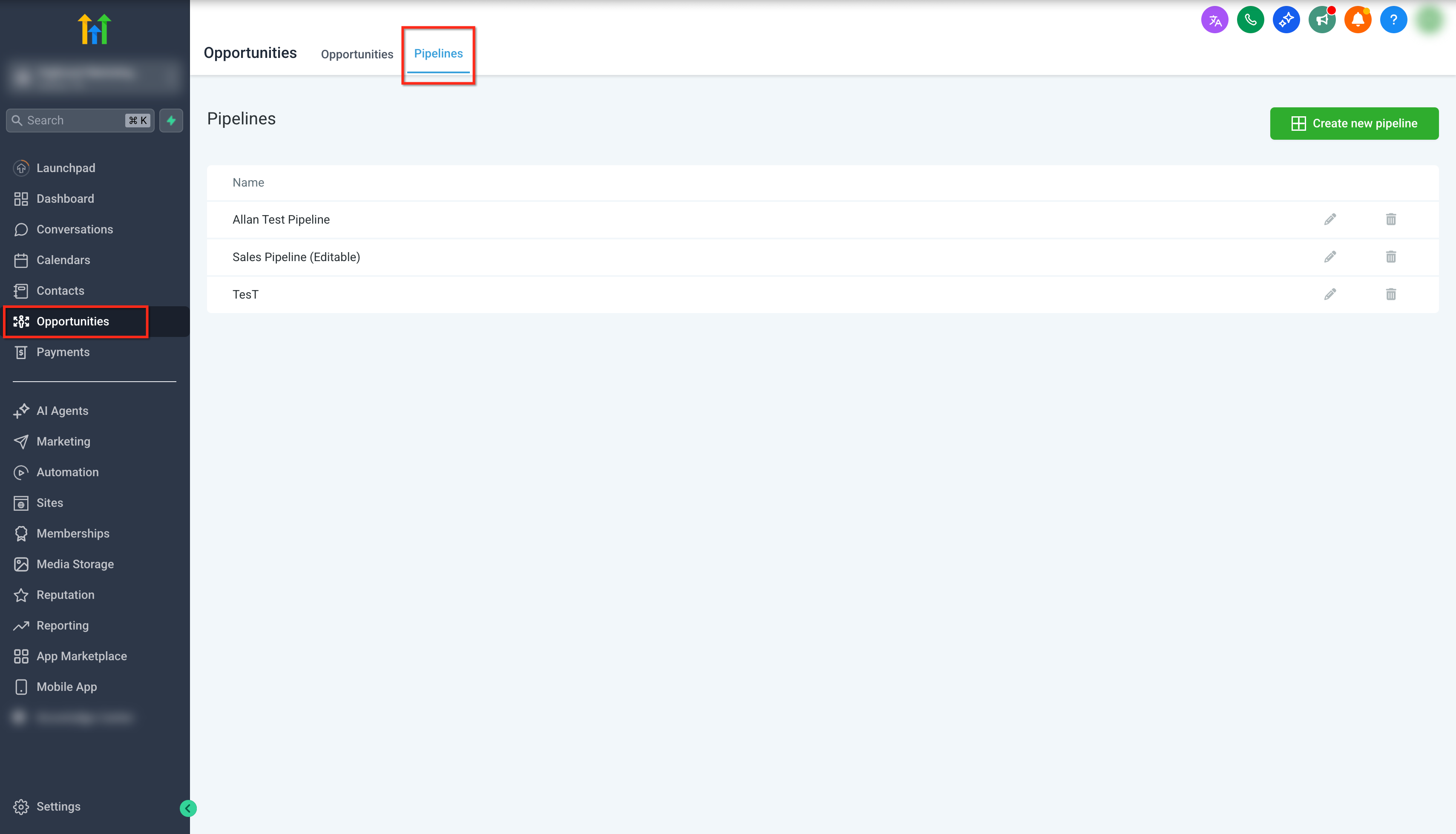
Pipeline Structure Drag the deals →
Every deal lives in one of six stages. Drag a card from one column to the next to see how the CRM auto-tallies values, counts, and weighted forecast in real time.
1 · New Lead 0
2 · Established Contact 0
3 · Site Visit Scheduled 0
4 · Proposal Sent 0
5 · In Negotiation 0
6 · Contract Out 0
7 · Closed Won 🏆 0
8 · Closed Lost 0
9 · Client Pipeline 0
Tag System Click each layer →
Tags are the CRM's nervous system. Five layers organize every contact so workflows can target the exact right people, automatically.
Lead Scoring Engine Click each criterion →
Every lead gets a 0–10 score based on five real signals. Toggle each criterion on or off and watch the lead get classified Hot, Warm or Cold — with the next action that fires.
Smart Lists — Daily Priority Order Click each list →
Smart lists are saved CRM searches that auto-update as contacts change. Six lists, run in order every day. Click any list to see its conditions and the matching contacts.
Smart Lists
🔥 Hot Leads — Contact Today
Email & SMS Campaigns Click each campaign →
Seven multi-channel sequences run inside GoHighLevel — every campaign blends Email and SMS (with call tasks where it matters). Each fires on a tag, exits on a reply, and stamps a "Completed" tag so no contact is ever double-touched.
The moment a lead lands in the CRM, this sequence introduces Cleaning in Motion, builds trust, and books the first walkthrough — without a rep lifting a finger.
Sequence
Exits on: Reply · Booked walkthrough · Stage advance · DoNotContact tag
Proposals die from silence. This sequence keeps the conversation alive without nagging — and converts roughly 1 in 3 into a signed contract.
Sequence
Exits on: Stage = Negotiation/Won/Lost · Reply · Contract sent
Wakes up dormant leads who never replied. Pure email, value-first, low pressure — designed to identify who is still alive and route them back to a rep.
Sequence
Exits on: Reply · Click on calendar link · Stage advance
Lost deals aren't gone — they're just early. This sequence checks in on every closed-lost opportunity 60 days later to catch the moment the incumbent disappoints them.
Sequence
Exits on: Reply · Re-opened opportunity · DoNotContact
For prospects under contract with a competitor. Long-haul nurture (90 days) that positions CIM as the obvious next call when their renewal date hits.
Sequence
Exits on: Reply · Stage = Site Visit · Renewal date passed
First 30 days set the tone for retention. This sequence welcomes new clients, gathers site-access details, schedules the kickoff, and surveys them at day 30.
Sequence
Exits on: Sequence completed · Cancellation · Escalation tag
Pulled from QuickBooks/Sage by the AI Renewal Agent. Locks in renewals early, surfaces upsell opportunities, and notifies the rep + ops team in Google Chat.
Sequence
Exits on: Renewal signed · Cancellation request · Manual override
Live Dashboard Watch it animate ↓
The owner's view: every metric that matters, refreshed automatically. Numbers count up; bars fill in. This is what GoHighLevel looks like once "No Leads Left Behind" is fully wired.
6-Month Implementation Program Scroll the timeline →
No Leads Left Behind is a 6-month program — not a software install. Month 1 is a structured onboarding sprint (4 meetings, two lanes: Sales Coaches + CRM Team). Months 2–6 are hands-on coaching, training, optimization, and customization until the system is running itself.
🎯 Month 1 — Onboarding Sprint
Two swim lanes running in parallel: Sales Coaches (client-facing) and CRM Team (build-facing). Four meetings, one outcome: a live system by end of month.
Technical & Audit
- Discovery & Business Audit
- Lead Input Mapping
- Domain & Email Setup
- Website & Calendar Integration
Strategy & Content
- A2P Verification Start
- Verify Pipeline Stages
- Build CRM Instance
- Configure Custom Values
Data Migration
- Approve Content & Custom Values
- Final pipeline sign-off
- Extract & Clean Lists
- Import Database
Live Training & Go-Live
- Workflow & Daily Tasks Training
- Role playbook handoff
- Live System Demo
- Loom Video Updates + Feature Newsletter
Weekly Sales Coaching
Live coaching calls with reps on using NLLB daily — pipeline hygiene, call scoring, objection handling.
Campaign Optimization
Monthly review of email/SMS open and reply rates. Rewrite underperformers, A/B test subject lines, tune send times.
Custom Build-Outs
New workflows, integrations, dashboards, and AI agents as your business grows — everything tailored to your ops.
Monthly Business Review
Owner-level review of KPIs, forecast vs actual, what's working, what's next. 60-minute strategic session.
Team Training Library
Loom walkthroughs for every role — new hires onboard in hours, not weeks. Growing video library included.
Handoff & Ownership
At month 6 you own everything — full documentation, admin access, SOPs, and a self-sustaining operating system.
AI Agents Built Into GoHighLevel
GoHighLevel's Agent Studio lets you build AI agents that don't just talk — they think, decide, and take action. They can answer the phone, send texts, read your invoices in QuickBooks or Sage, qualify leads in the background, score sales calls, and trigger any workflow in your CRM.
Your AI team never sleeps.
Voice. SMS. Web Chat. Email. Background. 15 ready-to-build agents handle the work that drains your team — answering, qualifying, calling, reminding, reconciling, escalating. Click any agent below to watch them work.
AI Receptionist for After Hours
When your office is closed, an AI receptionist answers every call in under 500ms in a natural human voice — so you never lose a lead to voicemail again.
- Greets the caller, captures name, company, and reason for calling
- Books a callback or walkthrough straight onto the rep's calendar
- Transfers urgent calls (keywords like "emergency") to an on-call cell phone
- Logs the full transcript and recording on the GHL contact card
Inbound Voice Agents
A 24/7 AI agent that handles every inbound call — qualifying prospects, answering pricing and service questions from your uploaded docs, and routing the right calls to the right humans.
- Reads your service catalog, pricing PDF, and FAQ knowledge base
- Qualifies the caller against your ICP (size, industry, location)
- Books walkthroughs directly into the calendar in real time
- Routes by department (sales, ops, billing) with smart handoffs
AI Outbound Caller for Commercial Cleaning Franchises
An always-on outbound agent that runs through nurture and re-engagement lists overnight — confirming the decision-maker, gathering qualification info, and booking the interested ones.
- Dials from any GHL list at the right time of day per timezone
- Speaks naturally, handles objections, captures answers
- Books interested prospects into the rep's calendar instantly
- Escalates hot leads to a human in real time during the call
AI SMS / Web Chat Concierge
Instant, two-way conversational AI on your website chat and incoming text messages. Answers, qualifies, and books — without making prospects wait for a human.
- Replies in seconds, day or night, in a natural conversational tone
- Pulls answers from your service docs and pricing knowledge base
- Qualifies the lead and books a walkthrough on the spot
- Hands off to a human only when the conversation calls for it
AI Appointment Confirm & Reminder
Calls or texts every booked walkthrough 24h and 1h before — confirming, rescheduling on the fly, and updating the calendar. Kills no-shows for franchise networks and key accounts.
- Reaches out via SMS first, falls back to a Voice AI call if no reply
- Reschedules in real time by reading rep availability
- Updates the GHL calendar and notifies the rep of any change
- Tracks confirm/no-show rates per franchise location
AI Reviews Agent
Auto-responds to every Google and Facebook review in your brand voice, escalates anything below 4 stars, and triggers a service-recovery workflow.
- Drafts and posts brand-safe replies to positive reviews automatically
- Flags 1–3 star reviews to the manager in Google Chat
- Triggers a save-the-client workflow on negative feedback
- Tracks reputation score per location over time
AI Content Agent (Newsletter + Social)
Drafts your monthly newsletter, weekly social posts, and case-study blogs — based on real wins pulled straight from the CRM. Humans review and publish.
- Reads closed-won deals to find story-worthy wins
- Drafts on-brand copy in your tone of voice
- Drops drafts into HighLevel ready for human review
- Schedules and posts approved content automatically
AI Lead Qualifier (Background Agent)
No phone calls, no chats — just a silent agent that processes every new lead the moment it lands in the CRM, so reps always start with full context.
- Runs enrichment (PIM → Apollo → Clay) on every new contact
- Scores the lead and assigns the right campaign + rep
- Writes a one-line intelligence summary on the contact card
- Flags red flags or competitor lock-ins before reps make the first call
AI Sales Coach (Call Review Agent)
Listens to every recorded dialer call, scores it on a coaching rubric, and writes the rep a personalized note. Surfaces the best and worst calls of the week to managers.
- Scores opening, discovery, value, objection handling, and close
- Drops a coaching note into the rep's GHL task list
- Sends a weekly leaderboard + lowlights to the sales manager
- Identifies winning phrases and patterns across the team
AI Collections Agent (QuickBooks / Sage)
Watches QuickBooks and Sage for overdue invoices and politely calls clients to collect — at 7, 15, and 30 days late. Escalates to a human only when it has to.
- Pulls overdue invoices from QuickBooks/Sage automatically
- Calls the client in a natural voice to request payment
- Offers to text a one-click payment link during the call
- Logs the conversation in GHL and escalates after 30 days
AI Renewal Agent
Pulls contract end dates from QuickBooks/Sage. 60 days before renewal, reaches out to the client and notifies the Sales Rep and Operations team so everyone is aligned.
- Detects upcoming renewals 60 days out from QuickBooks/Sage
- Calls or texts the client to confirm satisfaction and scope changes
- Books a renewal review with the Account Manager
- Notifies the assigned Sales Rep and Operations in Google Chat
AI Upsell Agent
Watches QuickBooks/Sage for clients whose invoice volume is growing, and proactively triggers an upsell motion — with the Sales Rep and Operations team looped in.
- Detects rising invoice volume (more locations, more services)
- Drafts a tailored upsell pitch via Content AI
- Triggers an outbound call from the Account Manager
- Notifies the assigned Sales Rep and Operations in Google Chat
AI Churn-Risk Agent
If a client's monthly billing drops or a recurring invoice gets canceled, the agent moves immediately — alerting Success and scheduling a save call within 24 hours.
- Monitors invoice patterns in QuickBooks/Sage in real time
- Detects drops, cancellations, or scope reductions
- Alerts the Success Coach with retention talking points
- Schedules a save call within 24 hours of detection
AI Invoice Reconciler
When a payment hits QuickBooks or Sage, the agent updates the GHL contact's lifetime value, advances the opportunity stage if needed, and celebrates the win with the team.
- Listens for paid invoices in QuickBooks/Sage
- Updates lifetime value and tags on the GHL contact
- Moves the opportunity stage automatically when needed
- Posts a celebration in Google Chat — no manual reconciliation
AI Onboarding Agent
The moment a new client appears in QuickBooks/Sage (first invoice paid), an AI agent calls within 1 hour to welcome them and kick off the operational handoff.
- Detects new clients via QuickBooks/Sage first invoice paid
- Calls within 1 hour to welcome and gather site access details
- Confirms service start date and key contacts on site
- Creates the operational handoff record in GHL automatically
Agent
These are just the beginning.
Anything you currently do manually — answering, qualifying, calling, reminding, reconciling, escalating — can be designed as an AI agent in GoHighLevel. Tell us the workflow that drains your team's time, and we'll show you what a custom AI agent can do for it.
One Page. One Role. Zero Intimidation.
When all the automations and AI agents are in place, the CRM gets simpler — not more complex. Each person on the team gets a one-page playbook showing exactly what to focus on and how to do it. No training manual. No tech background needed.
Outside Sales Rep
Field walk-ins, on-site visits, route follow-ups
📞Inside Sales / SDR
Power dialer, qualify, book site visits
🤝Account Manager
Renewals, upsells, client health
🧹Operations Lead
New account onboarding, scheduling, escalations
💬Front Desk / CSR
Inbound calls, messages, quick contact creation
📊Owner / Manager
Dashboards, pipeline review, accountability
🤝 How Inside & Outside Sales Work Together
Jamie — Sets the Table
- 🎯 Works Smart Lists all day in the Power Dialer
- ✅ Qualifies every lead with the 4-question ICP check
- 📅 Books site visits on the Outside Rep's calendar
- 📋 Writes a handoff note with all the context
Marcus — Closes the Deal
- 🚗 Attends the walkthrough fully briefed
- 📝 Writes the proposal in PandaDoc from the truck
- 🤝 Negotiates, handles objections, closes
- 🏆 Moves the deal to "Won" and hands to Ops
Outside Sales Rep — CRM Playbook
📅 A day in the life — Marcus's Tuesday
✅ Marcus's Daily Checklist
What you focus on every day
Your daily flow
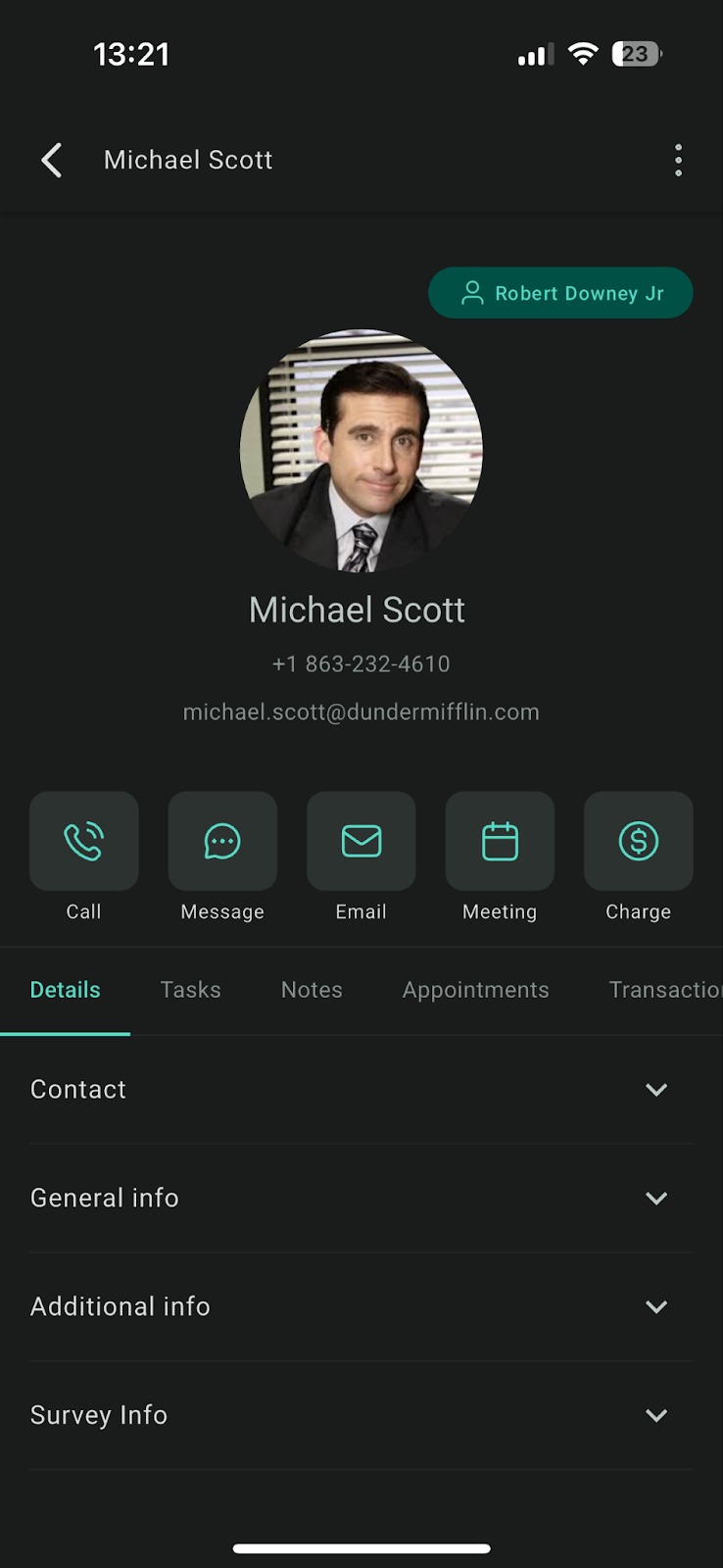
How to create a contact (30 seconds)
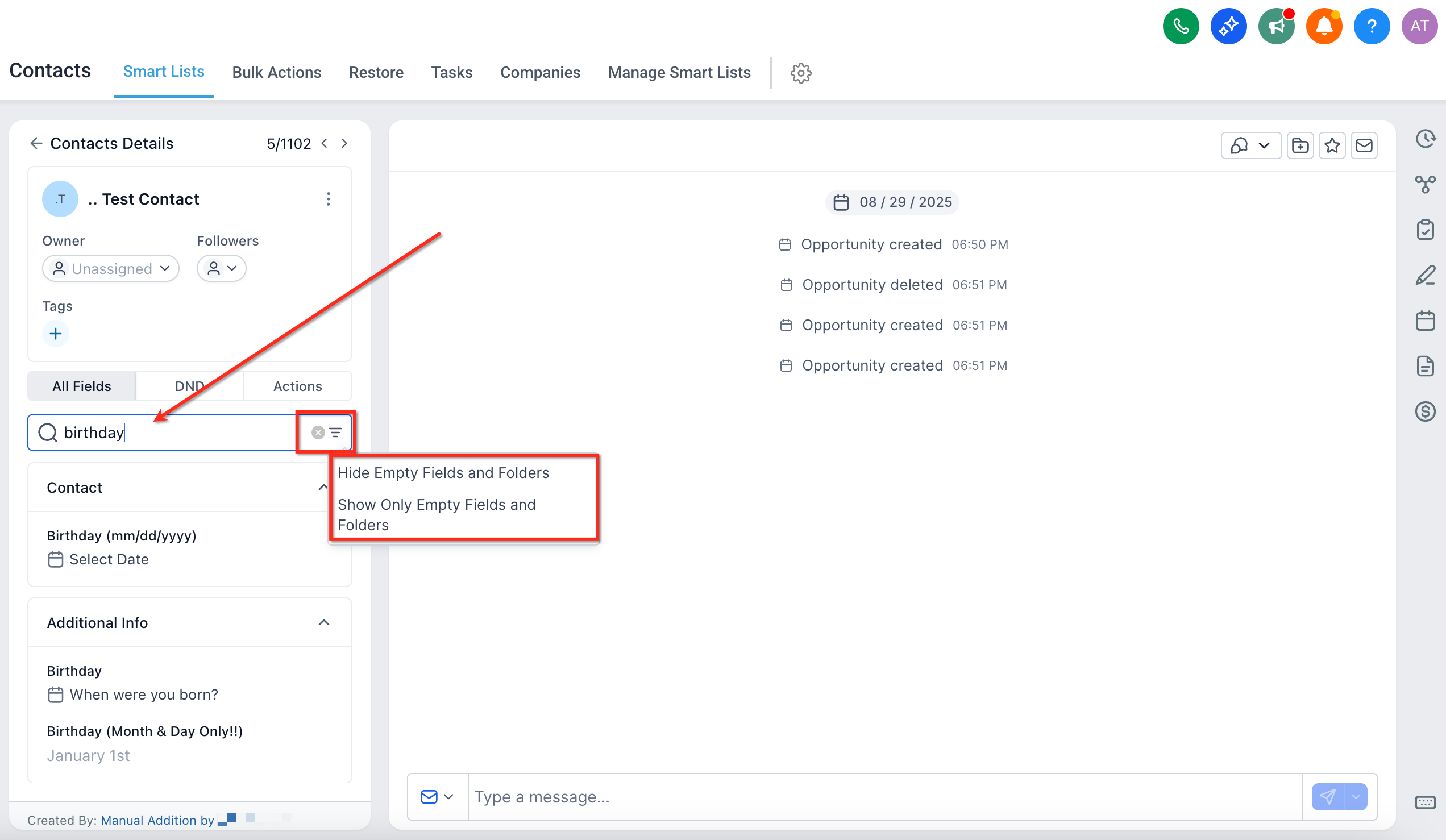
How to add a note after a visit
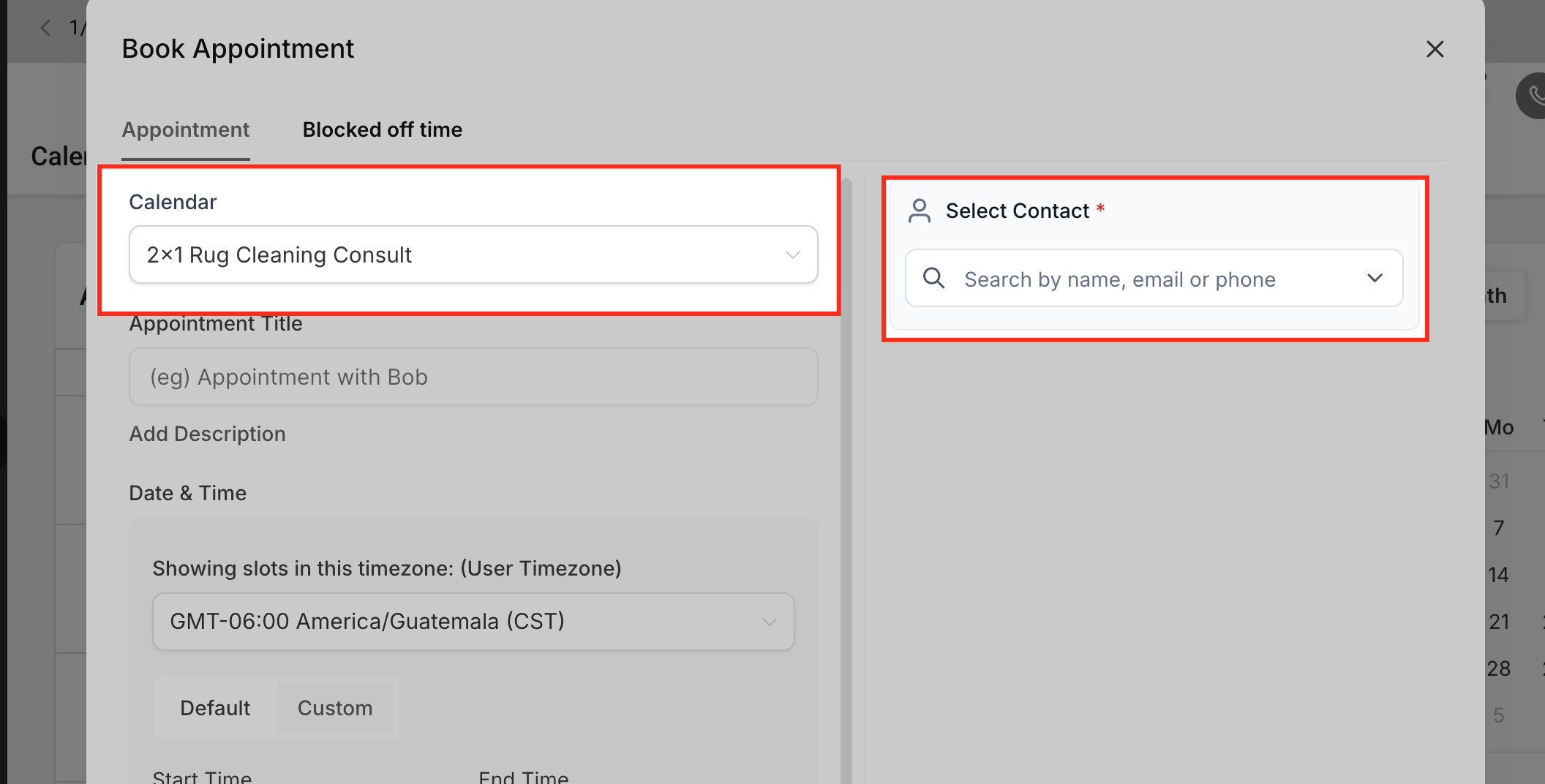
How to book the next step
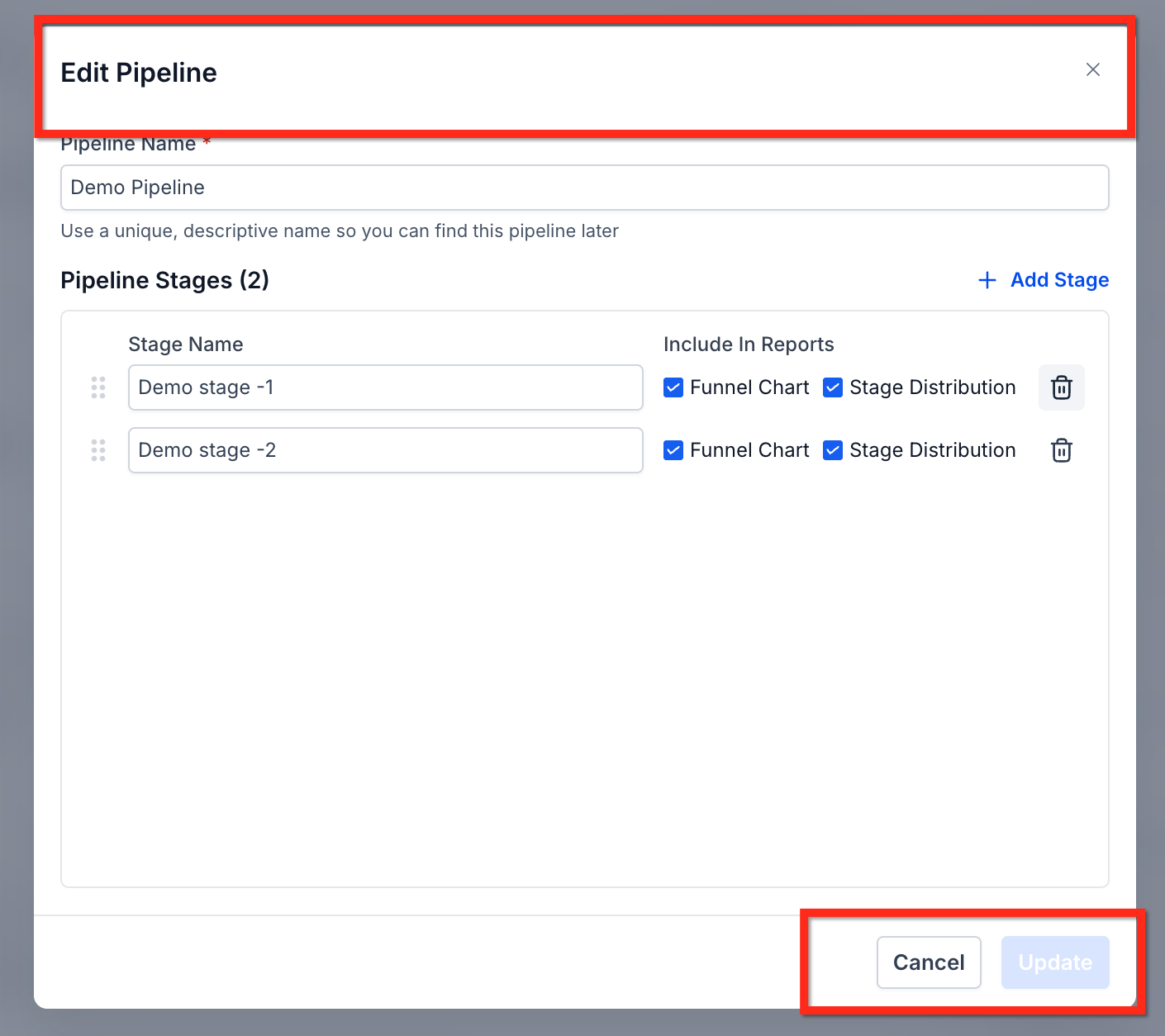
How to move a deal in the pipeline
Do this · Don't worry about that
✓ Just do this
- Log every visit with a note + tag
- Move pipeline stages when something changes
- Book the next step before you leave
- Use voice-to-text — don't type
✗ You don't need to
- Send follow-up emails — workflows do it
- Build proposals from scratch — PandaDoc auto-generates
- Remember to call back — reminders fire automatically
- Enrich company data — the CRM does it in the background
Inside Sales / SDR — CRM Playbook
📅 A day in the life — Jamie's Monday
✅ Jamie's Daily Checklist
What you focus on every day
Your daily flow
How to start a Power Dialer session
How to qualify a lead in 60 seconds
How to book a site visit for the outside rep
Inbound SMS & missed calls — your < 5 minute SLA
Your daily targets
Do this · Don't worry about that
✓ Just do this
- Always work from a Smart List — never random contacts
- Disposition every single call
- Book the next step before hanging up
- Reply to inbound SMS within 5 minutes
✗ You don't need to
- Build call lists by hand — Smart Lists do it
- Send follow-up nurture emails — campaigns fire automatically
- Score leads manually — workflows update the score live
- Remember to call anyone back — tasks + reminders are auto-created
One playbook per role. That's the whole training.
Every role on your team gets a one-page playbook just like this. New hires are productive on day one. Veterans stop fighting the CRM. Everyone is on the same page, literally.
Want a full No Leads Left Behind
CRM implementation?
Everything in this playbook — the pipeline, the smart lists, the AI agents, the role-based one-pagers, the dashboards — built and deployed for your team inside GoHighLevel. Book a strategy call and let's make it happen.